
M/Class Monitor Arms & Integrated Technology

-

M2 Pro Single Monitor Arm
From $434
-

M8 Pro Single Monitor Arm
From $642
-

M8 Pro Dual Monitor Arm with Handle
From $936
-

M8 Pro Dual Monitor Arm
From $838
-

M2 Pro Dual Mount
From $841
-

M/Flex for M2 Pro Single Monitor Arm with Slider
From $658
-

M/Flex for M2 Pro Single Monitor Arm
From $646
-

M/Flex for M2 Pro Dual Monitor Arm
From $927
-

M/Flex for M2 Pro Quad Monitor Arm
From $1,713
-

M/Flex for M2 Pro Dual Monitor Arm with Sliders
From $979
-

M/Flex for M2 Pro Quad Monitor Arm with Sliders
From $1,817
-

M/Flex for M2 Pro Dual Monitor Arms with Extended Reach
From $955
-

M/Flex for M2 Pro Quad Monitor Arm with Extended Reach
From $1,769
-

M/Flex for M2 Pro Triple Monitor Arms with Sliders
From $1,274
-

M/Flex for M2 Pro Six Monitor Arm
From $2,448
-

M/Flex for M2 Pro Triple Monitor Arms
From $1,110
-

M/Flex for M2 Pro Triple Monitor Arms with Extended Reach
From $1,224
-

M/Flex for M2 Pro Stacked Dual Monitor Arm
From $1,037
-

M/Flex for M8 Pro Single Monitor Arm
From $923
-

M/Flex for M8 Pro Dual Monitor Arms
From $1,400
-

M/Flex for M8 Pro Quad Monitor Arm
From $2,646
-

M/Flex for M8 Pro Dual Monitor Arms with Extended Reach
From $1,426
-

M/Flex for M8 Pro Quad Monitor Arm with Extended Reach
From $2,698
-

M/Flex for M8 Pro Triple Monitor Arms
From $1,819
-

M/Flex for M8 Pro Stacked Dual Monitor Arm with Extended Reach
From $1,494
-

M/Flex for M8 Pro Stacked Dual Monitor Arm with Fixed Depth
From $697
Design Features
-
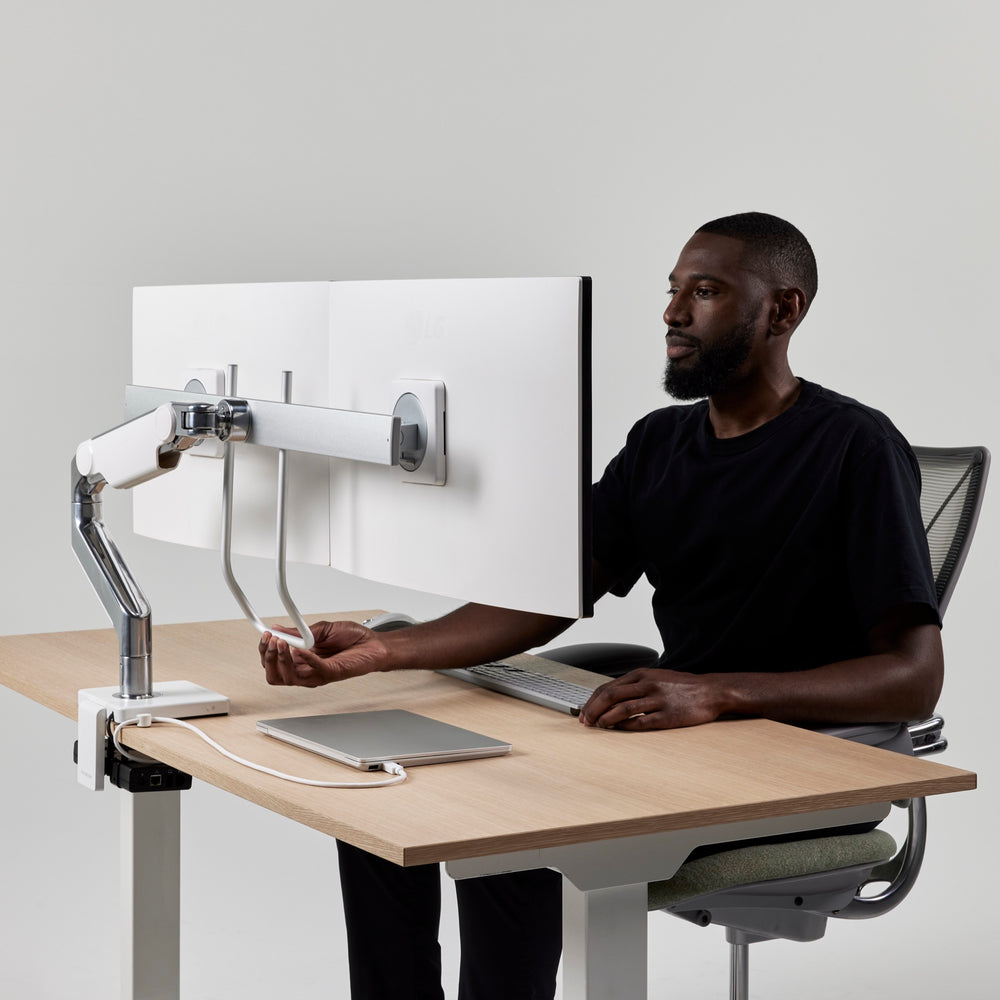
Instant Adjustments for Healthy Postures
-

Extensive Range of Movement
-
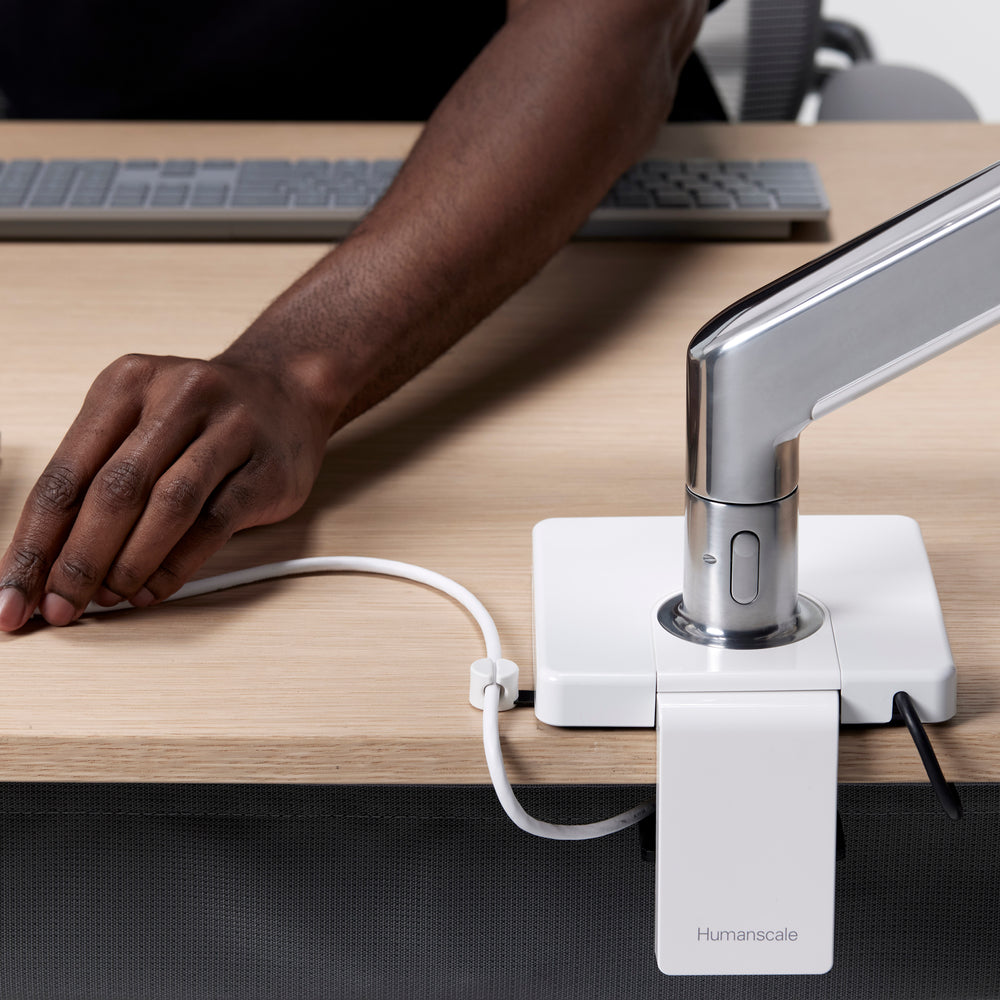
Integrated Technology with M/Connect
-

Endless Configuration with M/Flex
-

Easy Assembly
-

Built In Cable Managment


Monitor Arm Options for Different Screen Setups

Single Monitor Arms

Double Monitor Arms

Triple Monitor Arms

Quad & Six Monitor Arms
Why do I need a monitor arm (and not a stand)?
Without a monitor arm, many people lean forward toward their screen (you may be doing it right now). Over time, that posture can strain your neck, shoulders, and back. A monitor arm lets you place your display at the right height and distance and adjust it easily as you move, so you stay supported throughout the day.
What makes Humanscale monitor arms different?
Humanscale monitor arms are built for professional-grade performance at home and in the workplace. We use precision components like ball bearings and mechanical springs for smoother motion and stability over time. Our monitor arms are tested to exceed 25,000 vertical load cycles and backed by a 15-year warranty.
What is Smart Stop and why does it matter?
Smart Stop is a tamper-proof rotation stop that helps prevent over-rotation into walls, neighboring desks, or surrounding equipment. It is a simple feature that protects your space and keeps setups consistent in shared environments.
Is installation difficult?
No. Installation is quick and simple. Clamp the mount to your desk, set Smart Stop to control rotation, attach the VESA plate to your monitor, then connect the arm and click the monitor into place with Quick Connect.
Will a Humanscale monitor arm fit my monitor?
Most monitors are compatible if they use a standard VESA mounting pattern, commonly 75mm or 100mm. If your monitor needs a specialty setup, we offer additional VESA plates and accessories for different applications.
How do I know if my monitor is too heavy or too large for a monitor arm?
Start with weight: match your monitor’s weight (without the stand) to the arm’s supported weight range listed on the product page. For dual monitor setups, also confirm any screen size guidance so both displays fit and move as intended.
Should I choose a single or dual monitor arm?
Choose a single arm if you use one primary display or want maximum flexibility. Choose a dual configuration if you work across two screens and want them aligned while keeping the desk surface clear.
Can I use a monitor arm with a sit-stand desk?
Yes. A monitor arm helps keep your screen at the right height and distance as you move between seated and standing positions, so you do not end up leaning forward.
What does “integrated technology” mean?
It means your monitor arm can do more than hold the screen. Humanscale integrates power and connectivity options into the arm so the ports you use are within reach and the desktop stays cleaner, with fewer devices and cables in the way.
Why should I choose an integrated dock with my monitor arm?
Because a dock on the desk and cables everywhere wastes usable workspace and creates visual clutter. Integrating connectivity into the monitor arm keeps the ports you need within reach while helping move the rest off the desktop, so your setup looks cleaner and works better day to day.
Which integrated technology option is right for me?
Choose based on your setup: M/Power: For convenient power and charging within reach. M/Connect 3 ProDock: A full docking solution integrated into the arm for a cleaner, more complete connectivity setup. M/Connect 3 USB Data Hub: Ideal if you use a USB-C monitor. It adds convenient data and charging ports within reach without needing a full dock.
Do Humanscale monitor arms include cable management?
Yes. Many configurations include integrated cable routing to help keep cables protected, organized, and out of the way.